The first time I tried to install a Minecraft mod, I downloaded something called a .jar file, dropped it in a folder I found on a forum, and watched the game refuse to start. I spent that whole evening deleting files and reinstalling. Two years later I run a custom modpack with 180 mods on a server I share with friends. The gap between those two points was pure trial and error, and this guide is my attempt to save you that evening.
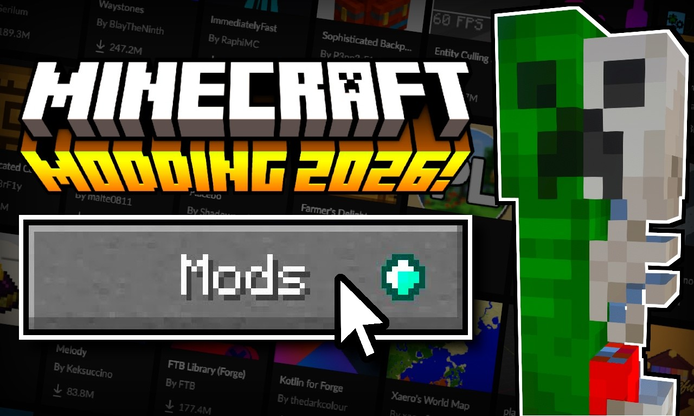
If vanilla Minecraft has started to feel repetitive, or you have watched a video of someone riding a train through an automated factory and wondered how that is even the same game, mods are the answer. The scene is big, friendly once you know the entry points, and mostly free. Here is how it works, from picking your first mod to running a full modpack without wrecking your saves.
What Are Minecraft Mods and Modpacks?
A mod is a piece of community-made software that changes how the game behaves. Some add new creatures, biomes, or dimensions. Some overhaul combat or farming. Some quietly fix performance so the game runs smoothly on an old laptop. A mod is usually a small file you add to the game, and the changes show up the next time you launch it.
A modpack is a curated bundle of those mods, pre-configured so they work together. Someone else has already solved the version conflicts, balanced the progression, and often added a quest book that guides you through the content. If mods are single ingredients, a modpack is a full meal someone cooked for you. For most beginners, a good modpack is the easiest and most reliable way in.
One thing to know upfront. Full modding lives on the desktop Java Edition of the game. The mobile and console versions (Bedrock) use a lighter system called add-ons, which I cover near the end of this guide. Both are worth understanding before you spend an afternoon on the wrong one.
How Mods Actually Work Under the Hood
Minecraft does not load mods on its own. It needs a mod loader, which is a small tool that sits between the game and the mods and lets them talk to each other. The two big loaders are Forge and Fabric, with NeoForge as a newer offshoot of Forge that many packs have moved to. You pick the loader based on which mods you want, because a mod built for Fabric will not run on Forge and vice versa.
Once a loader is installed, adding a mod is as simple as putting its file into the mods folder inside your game directory. When the game launches, the loader reads every file in that folder and wires the mods into the game. Most crashes happen because a mod file does not match the loader or the game version, so that folder is the first place to look when something breaks.
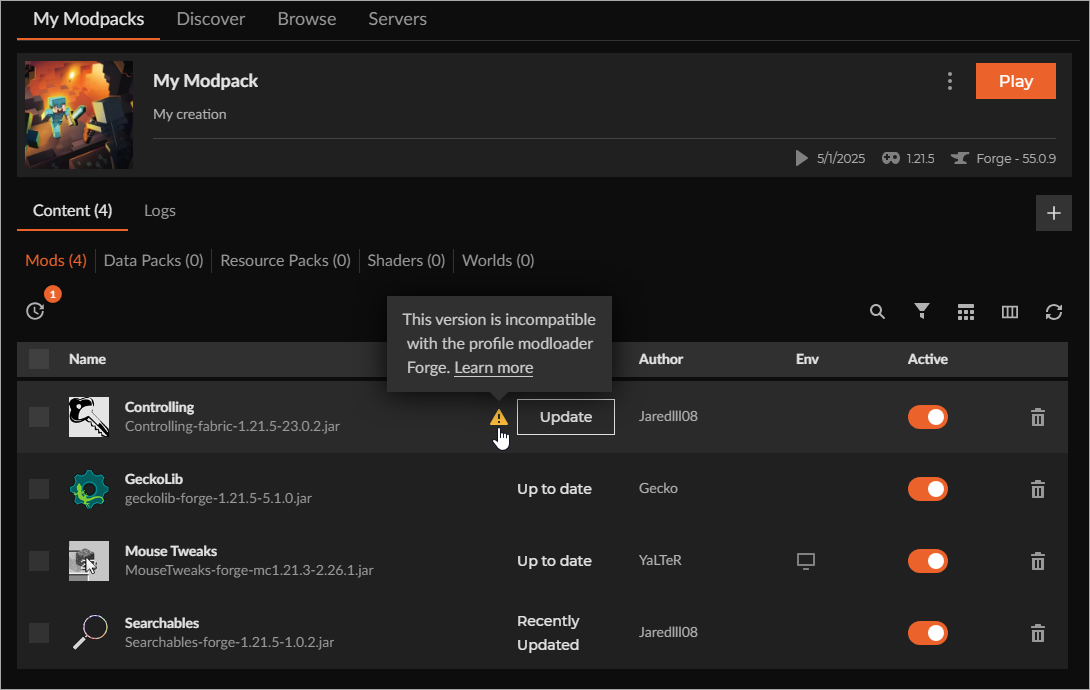
Modpacks skip most of this manual work. Apps like the CurseForge app, the Modrinth app, and Prism Launcher install the loader, the mods, and the configs for you in one click. You browse a catalog, hit install, and press play. That is why I steer almost every new player toward a modpack instead of hand-picking mods.
Where to Find Mods and Modpacks You Can Trust
Two sites dominate the scene. Modrinth is clean, fast, and open source, and I personally start there. CurseForge has the bigger catalog and hosts most of the famous packs. Both let you filter by game version and loader, both show download counts and last-updated dates, and both are free. When a mod exists on both sites, I check the updated date and grab the fresher one.
For Bedrock players on phones and consoles, the in-game Marketplace is the official route. It has paid and free add-ons reviewed before release, which trades some freedom for safety. Parents setting things up for kids should stick to the Marketplace, since everything there is screened.
Wherever you browse, run through this quick checklist before you commit to a mod or pack:
- Was it updated recently? Packs for old game versions often stay broken.
- Does it match your loader? Fabric mods will not load on Forge, and so on.
- Does it list required dependencies? Missing libraries are the number one crash cause.
- Do the comments mention crashes? A page full of bug reports is a warning.
I learned the dependency lesson the hard way. My first factory mod kept crashing the game until I noticed a tiny note asking for a separate library file. Ten seconds of reading would have saved me an hour.
App Screenshots
Here is what the ecosystem looks like in practice, from the base game to full modded builds.
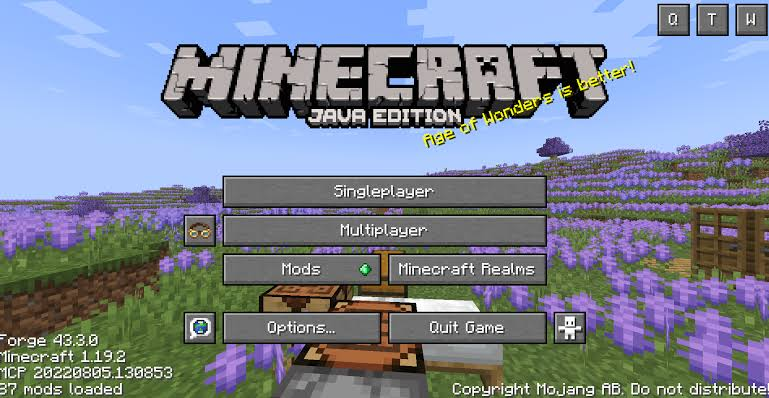
Step-by-Step Tutorial: Your First Modpack (Desktop, Java Edition)
This is the path I now recommend to everyone. It takes about ten minutes and needs no manual file handling.
- Pick a launcher app. Install the CurseForge app or the Modrinth app on your computer. Both are free and both manage everything for you.
- Find the Minecraft section. Open the app, choose Minecraft as your game, and browse the modpacks tab.
- Choose a beginner-friendly pack. Search for packs tagged as vanilla-plus or performance, which improve the game without burying you in new systems. Read the description to confirm it supports your game version.
- Click install and wait. The app downloads the right loader, every mod, and all configs. A big pack can take a few minutes.
- Press play and allocate memory. In the pack settings, give it 4 to 6 GB of RAM if your machine has it. Modded Minecraft is hungrier than vanilla.
- Follow the quest book. Most quality packs include one. It walks you through the content in order instead of leaving you drowning in menus.
If you insist on hand-picking individual mods instead, the manual path is still simple. Install the loader that matches your chosen mods, open your game directory, drop the mod files into the mods folder, and launch. Add one mod at a time at first, so when something crashes you know exactly which file caused it.
Playing Modded Minecraft on Mobile (Bedrock Add-Ons)
On Android, full Java-style modding is off the table, but add-ons get you surprisingly far. The official route is the in-game Marketplace, where you browse add-ons, resource packs, and whole player-made worlds, some free and some paid. Installation is one tap and everything is screened before it goes on sale.
You can also import add-on files you get from a creator you trust. An add-on file (.mcaddon or .mcpack) installs when you open it with the game, and it then shows up in your world settings under resource packs and behavior packs. Apply them to a new world rather than your main one, because behavior packs can permanently change how mobs and items work in that world. That lesson cost me a survival base once, so learn it from me instead.
Use Cases: What Mods Actually Do for You
- Better performance. Lightweight optimization mods can double your frame rate on modest hardware. This is the safest first mod anyone can install.
- Fresh exploration. Packs add new dimensions, structures, and creatures, which fixes the "seen it all" feeling after a long vanilla run.
- Automation and engineering. Factory-style packs let you build machines, pipes, and power systems that run while you sleep. My most-played genre by far.
- Collection and adventure. Creature-collecting packs and RPG packs turn the game into something closer to a full role-playing title with bosses and quests.
- Survival with friends. Horror and hardcore packs on a shared server are some of the best co-op gaming I have had on any platform.
Tips and Tricks I Wish I Knew Earlier
- Back up your saves folder before installing anything. Copy it somewhere safe. Crashes are rare with packs, but world corruption is permanent.
- Start with 20 mods, not 200. Learn how conflicts feel on a small setup before you run a monster pack.
- More RAM does not always help. Past 6 GB, extra memory often does nothing. Fixing frame rate is about optimization mods, not bigger numbers.
- Read the changelog when a pack updates. Updating mid-save occasionally breaks progression, and pack authors usually warn you.
- Check the quest book before asking questions. Half the answers in modding Discord servers are just "it is on page three of the quest book," including when I asked.
Pros and Cons of Getting Into Mods
Pros
- An enormous amount of free, high-quality content, effectively endless replay value.
- Modpack apps make installation nearly foolproof today.
- A fix exists for almost every annoyance in vanilla, from inventory management to frame drops.
- Strong multiplayer support for playing packs on servers with friends.
Cons
- Full modding requires the desktop Java Edition, which excludes phone and console players.
- Version mismatches still cause crashes, especially when hand-picking mods.
- Large packs need a reasonably capable computer.
- Modded worlds generally cannot be returned to vanilla, so keep saves separate.
Where to Get Mods: Quick Comparison
| Platform | Works On | Best For | Cost |
|---|---|---|---|
| Modrinth | Desktop (Java) | Clean browsing, open-source tools, quick installs | Free |
| CurseForge | Desktop (Java) | The biggest catalog and most famous modpacks | Free |
| Marketplace | Bedrock (mobile, console, Windows) | Screened add-ons, kid-friendly, one-tap install | Free and paid |
Frequently Asked Questions
Are Minecraft mods free?
Almost all mods and modpacks on Modrinth and CurseForge are free. The official Bedrock Marketplace sells premium add-ons alongside free ones, and that paid content funds creators who pass a review process.
Can I put mods on the mobile version of Minecraft?
Full Java mods, no. Mobile runs Bedrock, which uses add-ons instead. You can get them from the in-game Marketplace or import .mcaddon files from creators you trust, and they add new creatures, textures, and behaviors.
Will mods break my existing worlds?
Vanilla worlds generally load fine with light mods added, but removing mods later can leave gaps in the world, and heavily modded saves will not work in a plain vanilla game. Back up your saves folder before every change and keep modded worlds separate.
Why does my game crash right after I add a mod?
Usually a version or loader mismatch, or a missing dependency listed on the mod page. Check that the mod matches your game version and loader, install any required library files, and if the crash persists, remove the newest mod and try again.
What is a good first modpack for a total beginner?
Pick a vanilla-plus or performance-focused pack. It keeps the game you know while smoothing frame rate and adding quality-of-life features, so nothing feels overwhelming while you learn how modded systems work.
Conclusion: Start Small and Back Everything Up
Minecraft modding looks like a wall of jargon from the outside, but the actual entry point today is one app, one click, and one play button. Install a launcher, choose a well-reviewed beginner modpack, back up your saves, and give the quest book a real chance. If you are on mobile, the Marketplace and trusted add-ons cover a surprising amount of ground. Once the first pack hooks you, the other two thousand are waiting.
Our website is a third-party distribution and information site, not the official app store or the app developer.
Download only from a source you trust and verify the source.
Review the permissions the app requests and decline anything that looks excessive.
Keep your device's security settings and antivirus up to date.
Prefer official stores (Google Play) when the app is available there.
This article is an independent overview and is not affiliated with the app's developer.