The Problem AI Upscaling Solves
Low-resolution images have long been a source of frustration for anyone working with visual content. A photo taken on an older phone, a screenshot captured at a small size, a product image exported at web resolution — all share the same fundamental limitation: insufficient pixel density to display clearly at larger sizes. Traditional upscaling methods, which interpolate pixels by averaging adjacent values, technically increased resolution but produced results that were, at best, marginally better than the original. The image had more pixels, but it did not have more detail. It was simply a larger version of the same blur.
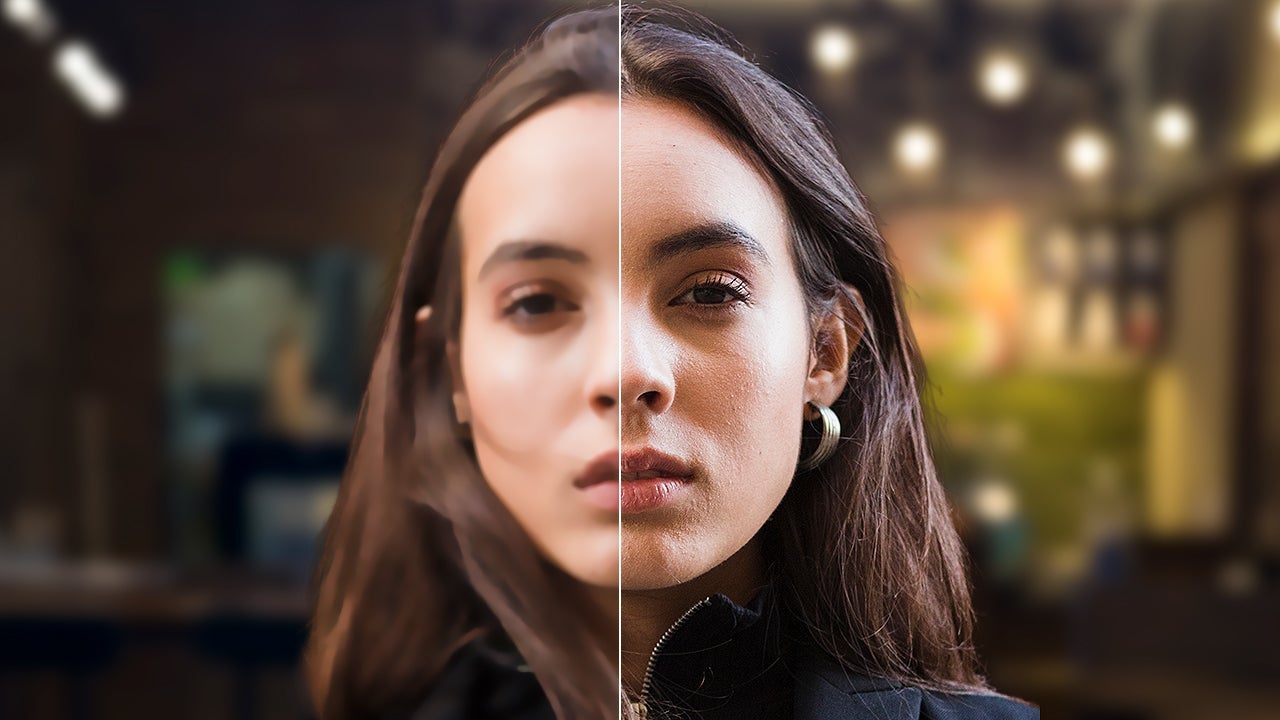
Generative AI has changed this equation. Rather than interpolating between existing pixels, modern upscaling tools use machine learning models trained on vast datasets to predict and generate the missing detail. The result is images that genuinely appear sharper, cleaner, and more detailed than their source material — not because the original data has been recovered, but because the AI has plausibly reconstructed what the detail should look like.
The market for these tools has expanded rapidly. In 2026, several platforms offer AI-powered image upscaling, each with distinct strengths, pricing models, and target audiences. This analysis examines five of the most prominent options, evaluating them across the criteria that matter most to practical users: output quality, processing privacy, pricing accessibility, and integration with existing creative workflows.
The Tools Examined
Adobe Firefly
Adobe Firefly serves as both a family of generative AI models and a standalone creative platform. Its upscaling capability is accessible through the Firefly web interface and mobile app (iOS and Android), as well as being integrated directly into Photoshop and other Creative Cloud applications.
Strengths. The most significant advantage of Adobe Firefly is its training data. Unlike many AI image tools that train on scraped web content of uncertain provenance, Firefly's models have been trained on licensed, Adobe Stock-curated content. This means that images upscaled using Firefly carry significantly lower copyright and legal risk — a critical consideration for professionals working in advertising, design, and commercial media where the provenance of visual assets can become a legal liability.
The integration with Creative Cloud is another major benefit. Users already working in Photoshop can access upscaling features without switching applications, maintaining a seamless workflow. The Edit section of the Firefly web interface offers a straightforward "Upscale Image" option that retrieves any uploaded image and increases its resolution with minimal user intervention.
Pricing. Firefly is available through Adobe Creative Cloud subscriptions, which start at approximately $19.99 per month for students and $69.99 per month for individuals. Some upscaling features are accessible for free through the Firefly web interface, making it the most accessible professional-grade option for occasional users.
Best for. Professional designers, advertisers, and anyone working within the Adobe ecosystem who requires legal certainty regarding training data provenance.
Topaz Gigapixel

Topaz Gigapixel has established itself as one of the most recognized dedicated upscaling tools in the market. The application is installed locally on the user's computer, with a cloud-based option (Topaz Image Web) also available.
Strengths. Topaz offers multiple AI models tailored to different image types. The Standard Model provides balanced results suitable for most photographs. The Standard MAX Model is optimized for speed and natural appearance. Additional models address specific use cases such as low-resolution portraits, compressed images, and architectural photography. This model-specific approach means that users can match the upscaling algorithm to the characteristics of their source image, producing noticeably better results than a one-size-fits-all solution.
The ability to process images locally is a significant advantage for users working with confidential, sensitive, or proprietary imagery. Cloud-based upscalers require uploading images to external servers, which may not be acceptable in corporate or legal environments. Topaz's local processing eliminates this concern entirely.
Pricing. Topaz Gigapixel operates on a subscription model ranging from $12 per month (annual commitment) to $69 per month (comprehensive feature set). The pricing structure varies based on features and cloud processing requirements.
Best for. Professional photographers and organizations that require local processing for privacy reasons, and users who need model-specific optimization for different image types.
Magnific (Freepik)
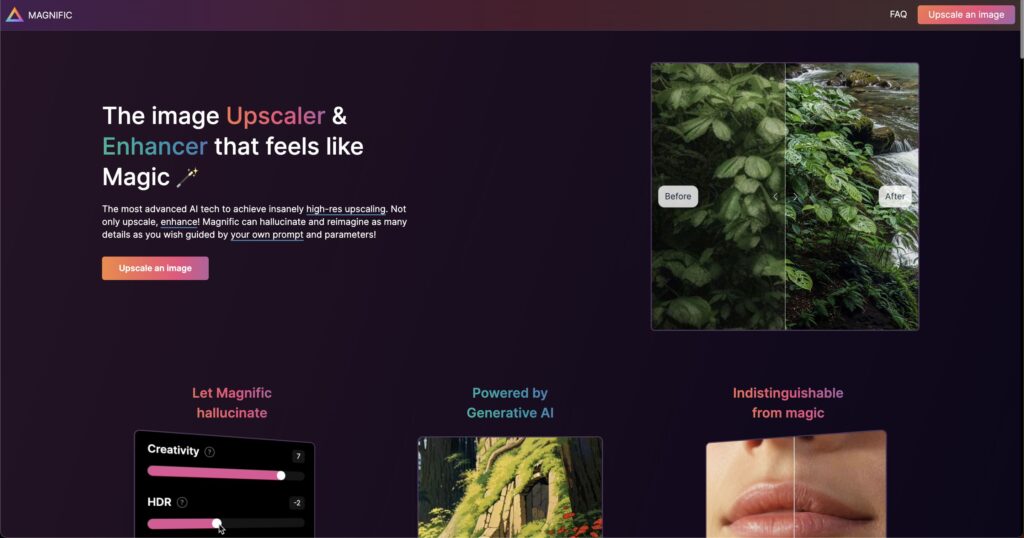
Magnific, now owned by Freepik, has evolved from a niche AI tool into a broader creative platform. Its Magnific Image Upscaler offers upscaling up to 16x original resolution, with batch processing capabilities.
Strengths. The ability to upscale up to 16x is among the highest magnification factors available in any consumer tool. Batch processing allows users to enhance multiple images simultaneously, which is valuable for teams managing large image libraries. Magnific also offers the ability to add supplementary detail — textures, slight variations, and creative enhancements — beyond simple resolution increase, making it as much a creative enhancement tool as a pure upscaler.
The integration with Freepik's broader ecosystem means users can source stock images, generate AI images, and upscale existing assets within a single platform, streamlining creative workflows that previously required multiple tools.
Pricing. While some Freepik services are free, AI features including upscaling require a subscription. Pricing tiers vary based on usage volume and feature access.
Best for. Creative agencies, content teams, and users who need to process large batches of images and want the option to add creative enhancements during upscaling.
Upscayl
Upscayl distinguishes itself through its open-source nature and cross-platform availability (Windows, macOS, and Linux). It represents the most accessible option for users who want capable AI upscaling without a subscription commitment.
Strengths. Upscayl supports all image resolutions and can process locally or via cloud rendering. The privacy policy is explicit: Upscayl does not use uploaded images to train its generative models, and all files are deleted from its servers after 24 hours. This commitment to data privacy is unusual in the AI tool market and will appeal to privacy-conscious users.
The open-source model means that the codebase is transparent and community-auditable — a significant advantage for organizations concerned about the "black box" nature of many AI tools. Users can inspect exactly how their images are processed, verify that no unauthorized data retention occurs, and even contribute improvements to the underlying algorithms.
Pricing. Upscayl offers limited free access, making it the only tool on this list with a genuinely usable free tier. Subscription plans start at $9.99 per month, and a one-time purchase option is available at the same price point. The flexibility between subscription and one-time purchase is unique among the tools examined.
Best for. Occasional users, privacy-conscious individuals, open-source advocates, and anyone who wants capable upscaling without an ongoing subscription.
Krea.ai

Krea.ai is an AI video and image generation platform that includes upscaling as one of its capabilities. It supports resolution increases up to 22K — a figure that exceeds any other tool on this list.
Strengths. The maximum resolution of 22K is extraordinary and relevant for specialized use cases such as large-format printing, billboard production, or ultra-high-resolution digital displays. The platform offers both Standard and High Quality upscaling modes, giving users control over the processing intensity and result quality.
Krea.ai also offers a dedicated mobile app for iOS and Android, enabling on-device upscaling for users who need to enhance images while away from a desktop computer. For professionals working in video production, Krea.ai's integrated approach to both image and video upscaling eliminates the need to maintain separate tools for each media type.
Pricing. Krea.ai operates on a subscription model with a free tier that allows upscaling up to 8x. The free option makes it the second-most accessible tool after Upscayl for users testing the waters before committing to a paid plan.
Best for. Users requiring extreme resolution increases (beyond 16x), video professionals who need an integrated image-video platform, and mobile-first users.
Comparative Assessment
| Feature | Adobe Firefly | Topaz Gigapixel | Magnific | Upscayl | Krea.ai |
|---|---|---|---|---|---|
| Max upscale | Varies | High | 16x | High | 22x |
| Local processing | Via CC apps | Yes | No | Yes | No |
| Free tier | Limited | No | No | Yes | Limited (8x) |
| Open source | No | No | No | Yes | No |
| Licensed training data | Yes | Unknown | Unknown | N/A | Unknown |
| Batch processing | Via CC apps | Yes | Yes | No | No |
| Mobile app | Yes | No | No | No | Yes |
Performance Considerations
Beyond the feature comparison, users should be aware of practical performance differences. Cloud-based tools (Magnific, Krea.ai) require an internet connection and involve upload and download times that scale with image size. For batch processing of large libraries, these transfer times can add hours to a workflow. Local processing tools (Topaz, Upscayl's local mode) depend on the user's hardware — specifically GPU capability. Topaz Gigapixel recommends a dedicated GPU with at least 8GB of VRAM for optimal performance, and processing a single high-resolution image can take anywhere from 30 seconds to several minutes depending on hardware. Users should factor hardware requirements into their cost calculations: the sticker price of a subscription is only part of the total cost of ownership.
Making the Right Choice
The best upscaling tool depends on three factors: your professional context, your privacy requirements, and your budget.
For commercial and professional use, Adobe Firefly is the strongest choice due to its licensed training data, which minimizes copyright risk. The Creative Cloud integration makes it the natural fit for anyone already working within Adobe's ecosystem.
For privacy-sensitive environments, Topaz Gigapixel's local processing or Upscayl's open-source, no-training-on-user-data policy provide the security guarantees that cloud-based alternatives cannot match.
For budget-conscious occasional users, Upscayl's free tier and $9.99 one-time purchase option offer the most accessible entry point without sacrificing capability.
For extreme resolution needs, Krea.ai's 22K maximum and Magnific's 16x with batch processing address specialized requirements that other tools cannot meet.
The common thread across all five tools is that AI-powered upscaling has matured from an experimental novelty into a reliable, practical capability. The question is no longer whether AI can effectively enhance image resolution — it can. The question is which tool's strengths, pricing model, and privacy posture best align with your specific needs.